Mock Studio
What is Mock Studio
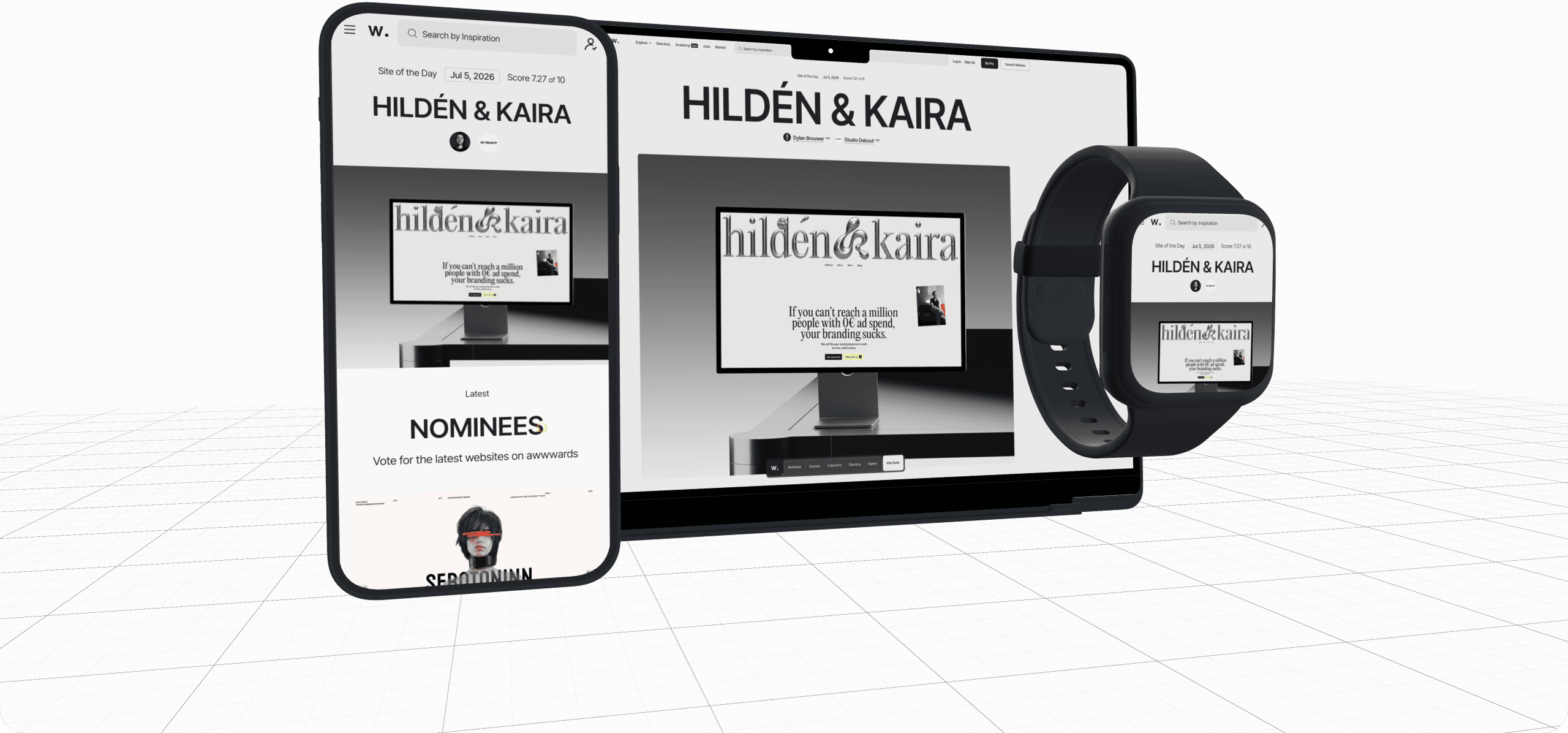
Mock Studio is an open-source editor for composing app screens inside interactive 3D device mockups, with transparent PNG export for marketing shots, product presentations, and social assets. You can find the code in the GitHub repository.
I designed and built the product end to end, covering interface design, frontend architecture, 3D scene composition, editing flows, export behavior, and the overall product direction.
The challenge
Creating polished device mockups usually depends on static templates, scattered tools, or editing workflows that are too rigid for quick iteration. I wanted a faster way to combine multiple devices, upload custom screens, adjust transforms, and export presentation-ready visuals from a single editor.
On top of that, I saw a clear opportunity to gain visibility around the AI + design topic, which was at its peak at that moment, and to show what I could ship while that conversation was trending.
How I built it with AI
Mock Studio was also a deliberate test of an AI-first workflow. Planning started in three parallel chats, Claude, ChatGPT, and Gemini: I described the product, set the stack I am most comfortable with (a standard Next.js setup), asked each one to review the others’ plans and argue the trade-offs, and consolidated everything into a plan.md file that guided the whole build. For the code itself, I worked in VS Code with the Claude and Codex apps, keeping the browser chats for research.
The first milestone was picked to kill the riskiest assumption early. I had zero experience manipulating 3D objects, so I asked for the minimal setup that would put a 3D model on screen, just to find out how much trouble the 3D side would really be.
AI accelerated the code far more than the interface. The generated UI was good at looking finished, but it lacked product-level refinement, so the final pass was manual: Figma to define the direction and hand-written CSS until the interface matched it. The shipping quality still came from design craft.
Key decisions
Whenever model edits came up, like removing the iPhone notch to get a clean screen, the AI kept suggesting I download Blender and edit the 3D files there. I pushed back and asked if we could solve it directly in the 3D library we were already using with React. We could: the editor hides the notched screen mesh and renders a clean, generated screen plane slightly in front of it. No new tool entered the pipeline, and that simplification is a big part of why the project actually shipped.
With no 3D background, my best research tool was asking the AI things like: 3D artists probably have a standard way to solve this. Discovering the name of the concept they use changed the quality of every answer that followed. Learning the domain vocabulary turned out to be the fastest way into a field I had never touched.
The common thread across the project was distrusting complexity. Every time an answer smelled like a workaround, I challenged the approach or asked the AI to simplify it, and the simplest path usually won.
Solution
I created a web editor with layered scene management, per-object controls, device-specific themes, custom screen uploads, a bilingual interface (pt-BR and en-US), and transparent PNG export with presets up to 4K and supersampled rendering for screenshot-grade output. The current version is built with Next.js, React, TypeScript, Three.js, React Three Fiber, and Tailwind CSS, with a Jest test suite, and supports multi-device compositions with smartphones, a smartwatch, and a notebook.
Results
Once it was ready, I launched it and shared it on LinkedIn to gain visibility around the AI + design topic, and the post reached well beyond my usual audience:
Conclusion
Mock Studio shipped as a working open-source editor and reached well beyond my usual audience the moment it launched. More than a technical demo, it showed I could take a product idea from concept to a polished, usable tool, covering interface design, 3D composition, and front-end, and put it in front of people while the AI + design conversation was at its peak.
It is also my clearest picture of how I work with AI today: plan across models, de-risk the scariest part first, push for the simplest solution, and finish with the design craft the AI still does not have.